For teams working with AI agents
Your agents work where your team already talks.
Every Hasarak workspace is an MCP server. Claude Code, Cursor and your scripts sign in as you, read the thread, post the update and write the doc. And @ai answers right in the thread, on your own AI account.
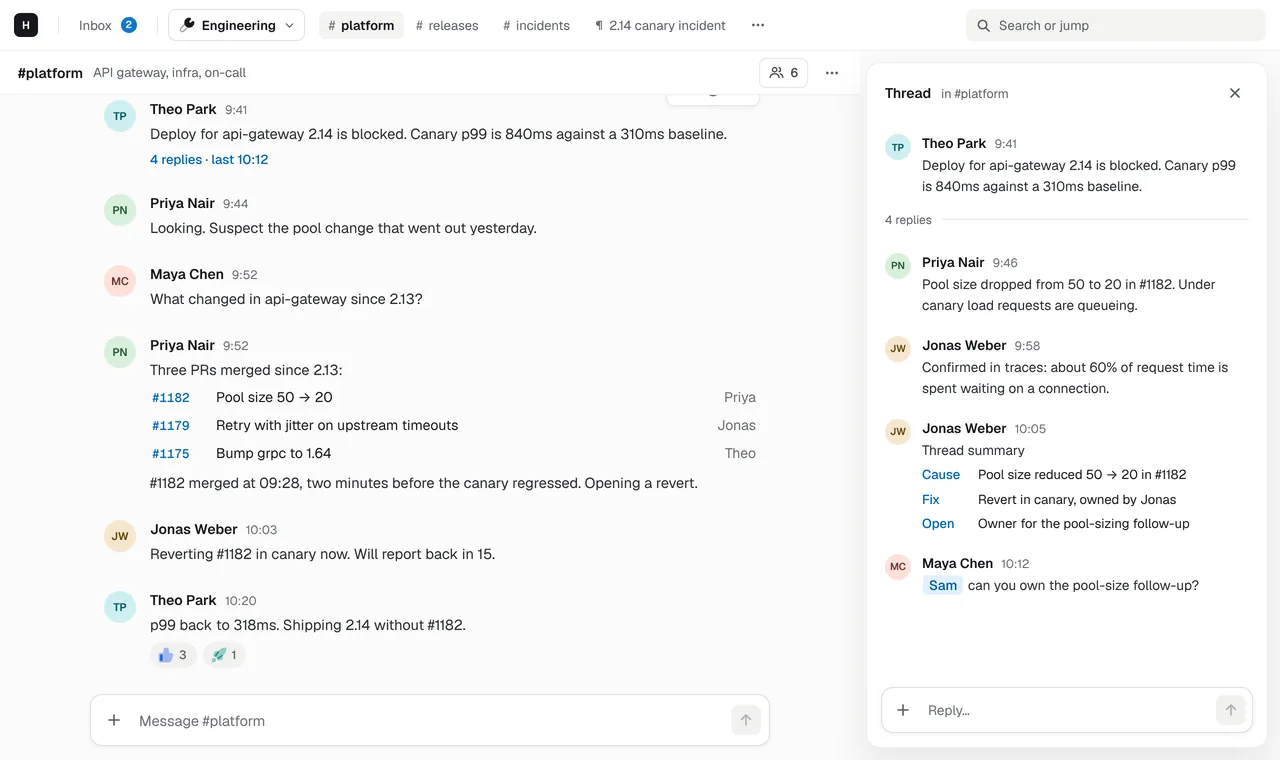
Agents connect over MCP
Add the workspace's MCP URL to Claude Code, Cursor or any MCP client. It signs in with OAuth and acts as you, with your access.
@ai in any thread
Mention @ai and it replies in the thread using the ChatGPT or Cursor account you signed in with, so usage counts against your own plan.
Pages agents can write
Agents create and update pages: the incident summary, the release notes, the research write-up, next to the thread that asked for it.
Tools from your connectors
Connectors add tools to @ai and to MCP clients. Install one from the marketplace, by URL, or from any MCP server with fixed headers.
Why agents need a team chat
An agent that can only talk to one person in one editor window loses the context the team already wrote down: the incident thread, the design discussion, the decision from last week. Put the agent in the workspace and it can read what the team read, and leave its work where the team will see it.
What it looks like
Someone posts in #platform that a deploy is blocked. Someone else asks Claude Code to
read the thread, check the last three merged changes and draft the incident page.
Claude Code does it through the workspace’s MCP server, signed in as the person who
asked: the page appears in the workspace, linked from a reply in the thread, and
anyone can edit it.
Code mode keeps it fast
Hasarak’s MCP server lists a single execute tool. The client sends a short
TypeScript program instead of dozens of separate tool calls, and the program runs in
a sandbox next to your data: read a thread, write a page and reply with a link, in one
step. See the MCP server for the details.
Questions
How do I connect Claude Code to my team chat?
Run claude mcp add --transport http hasarak https://api.hasarak.com/w/<workspace id>/mcp, then sign in when Claude Code opens Hasarak's sign-in page. Claude Code can then read channels and threads, post and reply, and edit pages as you.
Which AI accounts can @ai use?
ChatGPT and Cursor today: each member signs in to their own accounts under Settings › AI, as many as they like, and @ai picks one per request, either in turn or the one with the most estimated usage left. A Claude connector is built and coming to the hosted app.
Do AI answers cost extra?
Not from Hasarak. @ai runs on the AI accounts members sign in with, so usage counts against their own ChatGPT or Cursor plans. The MCP server is on every Hasarak plan.
Can an agent see everything in the workspace?
No. An MCP client acts as the member who signed it in and sees only what they can see. Connectors get only the permissions an admin approved, and can't see DMs.
Related
- The doc lives next to the conversation.Chat and docs in one workspace. Pages with tables, images and Mermaid diagrams, edited together in real time and linked from the threads that discuss them.→
- Incidents, runbooks and your agents in one place.Team chat for engineering teams, with incident docs next to the thread and a built-in MCP server so Claude Code, Cursor and your scripts can join in.→
- Keep maintainers on the same page.Chat for maintainer teams: threads for reviews and releases, pages for contributor guides and release checklists, an MCP server for your scripts, and a free plan.→
- IntegrationsCursor, ChatGPT, GitHub, Linear, MCP and custom connectors.→