For remote teams
Async by default, for teams across time zones.
Threads keep discussions together, one inbox collects everything that needs you, and pages hold the decisions so people who were asleep can catch up.
One inbox for what needs you
Mentions, thread replies and DMs land in one inbox. Mark items done, snooze them for later, undo if you slip.
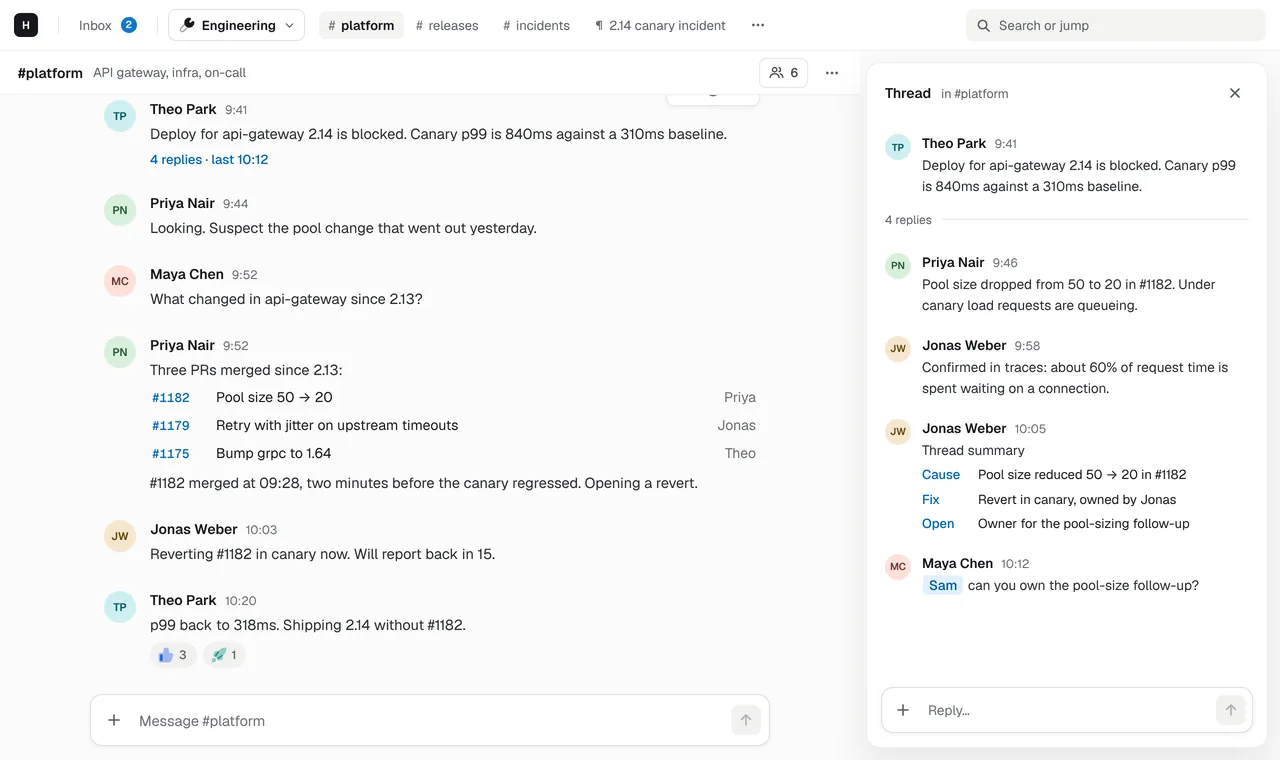
Threads, not walls of text
Reply in a thread and the channel stays readable for the people who come online after you.
Decisions written down
Write the outcome of a long thread as a page with tables and diagrams, linked from the conversation that produced it.
In any browser
Hasarak runs at app.hasarak.com with nothing to install. Desktop and mobile apps are in development.
Catch up in minutes, not hours
When half the team works while the other half sleeps, the morning starts with a backlog. Hasarak’s inbox shows only what involves you: mentions, replies in threads you’re part of and DMs. Work through it like a to-do list, filter to mentions only, and snooze what can wait.
Keep context next to the conversation
Remote teams depend on writing. Pages are part of the workspace, so the spec, the runbook or the meeting notes sit one keystroke from the channel instead of in a separate wiki. Link a page from a message and anyone can open it from the thread.
Less tab switching
Pages open as tabs next to the channel, ⌘K jumps anywhere, and @ai can summarise a
thread for whoever wakes up next, using their own ChatGPT or Cursor account. People who
prefer the keyboard can switch to the Minimal style and its Vim keys.
Related
- Chat and docs in one tool, from day one.One workspace for chat, docs and your AI tools. A free plan for small teams and one paid Team plan as you grow. No add-ons.→
- Team chat for people who live in the terminal.Hasarak's terminal client for team chat is in development. Today, the web app's Minimal style gives you a terminal look, Vim keys and a : command line in the browser.→
- Team chat that speaks Vim.Team chat with Vim keys built in, not bolted on: j/k, gg/G, i and esc, g-chords and a : command line in the web app's Minimal style.→
- IntegrationsCursor, ChatGPT, GitHub, Linear, MCP and custom connectors.→